The editor
kumihimo edit myplan # serves 127.0.0.1:8720 and opens the browser
The canvas renders the plan live: kind-colored nodes, solid arrows for
needs, dashed edges for membership, dotted labeled edges for annotations,
and thin dotted labeled edges for mentions (who's assigned, what skill, who
trains it). The sidebar carries the live check findings, an add-node form,
the braid button, a session-scoped undo trail, and — when the
enclosing repo actually tracks the plan (not merely encloses it — a plan
scaffolded under a repo root that was never git add-ed shows nothing) — a
dirty-vs-HEAD indicator.
Everything you do writes through the same operations layer as the CLI:
- Drag a node — its position lands in
view.yaml, never in a node file. - Drag handle to handle — draws an edge; the selector above the canvas
chooses whether new edges mean
needs,in, or an annotationlink(with a relation label). An edge that would close a dependency cycle is refused with the cycle's path. Mentions (agents:/skills:/trains:) are never drawn this way — see "Chip editors" below. - Click a node — edit title, kind, fields (inputs generated from the
kind's schema), chip rows for
needs/agents/skills(see "Chip editors"), and body; Save writes the file, preserving any hand- written comments in its frontmatter. Rename fixes every referrer; Delete refuses while referenced, naming the referrers. The form banners which node it's editing at the top ("editing title · id", title falling back to id before one's set). - Click an edge — opens the edge panel in the sidebar (see "Reading edges" below).
- Add a node — the sidebar's id/kind/title form (id required, the rest optional); once it lands, the new node is selected and centered into view (the same select-and-center every jump on this page already does), not left wherever the canvas happened to be scrolled.
- Braid — compiles the current plan and shows it styled, in both themes, with Copy and Download (see "Braid preview" below).
Reading edges
Each edge kind keeps its own ports, so membership stops fighting dependency
arrows for the same two pixels: needs edges run left→right, from the
dependency's right handle to the dependent's left handle. in (membership),
link (annotation), and mention (agents:/skills:/trains:) edges all
run bottom→top — member, link source, or mentioning node at the bottom,
group/link target/mentioned crew member at the top — distinguished from each
other by dash pattern, color, and label, not by port. needs and in edges
carry a closed arrowhead pointing at the dependent/group; link and mention
edges carry none, since neither is a directional dependency — an annotation
is a labeled relation, and a mention carries no ordering at all (the topo
sort never looks at it).
Mentions render thinner and more sparingly-styled than the other three kinds
— they're meant to recede until you go looking for them, or switch to the
Crew lens below, which is built for exactly that. Outside that
lens every mention edge additionally sits at a quiet resting opacity (its
own token, calmer than a plain dim), so Structure/Status/Flow/Risk read as
their own signal rather than a canvas thick with crew threads; the Crew
lens keeps its usual full treatment — faint non-trains mentions, bold
trains ones — untouched. Each carries a small label naming which key it
is — "agents", "skills", or "trains" — that hides entirely at the far
zoom tier (the same zoomed-out view where every node itself collapses to
a bare silhouette chip) and reappears once you zoom back in.
Hovering an edge thickens and brightens its stroke and shows a small tooltip naming it in words — "rate-limit-core needs pick-algorithm" — using titles, never ids. Clicking an edge opens a panel with that same sentence, a jump button per endpoint (selects the node and centers the canvas on it, zoom unchanged), and the Remove edge button — mention edges included, described as "A mentions B (agents)" and so on.
Chip editors
The sidebar's node form carries three chip rows — Needs, Agents,
Skills — each showing the node's current targets as removable pills
(titles, not ids) plus an add input. Typing an id and pressing Enter, or
clicking Add, posts a link op immediately; clicking a chip's ×
posts unlink — neither is staged behind the form's Save button, the same
"the gesture is the op" model drawing or removing a canvas edge already
uses. All three rows share one node: the moment any of them has a chip op in
flight, every row's add input and every chip's × disable — for that
gesture's whole round trip, re-enabling only once the response comes back,
success or failure alike — since a link/unlink op carries the whole
node file's digest, not one per field, and two fast chip gestures on the
same node (even on two different rows) would otherwise race that same
digest and land a false conflict notice. One chip gesture at a time per
node; the row(s) tell you by disabling. The add input suggests ids from a
plan-wide list, filtered per field:
Needs suggests every non-crew node (not itself an agent or skill),
Agents suggests only agent-kind nodes, Skills only skill-kind
ones — but the suggestion list is a convenience, not a gate: typing an id
outside it still submits, and check's own rules (dangling target, wrong
kind) are what actually enforce it, surfacing as the same conflict/error
notice any other op uses.
There is no Trains chip row. trains: targets stay file-edited on
purpose — it is the retro's edge, set rarely and deliberately (typically once
per recurring training task), not a relationship you build up node by node
the way needs/agents/skills are.
Containers
A node that at least one other node names in its in renders as a
container instead of a plain card: its members sit inside it, sized and
positioned to bound them plus a title-bar strip. The dashed membership line
"Reading edges" describes above never draws for that primary relationship —
the nesting says it instead; a member's other in entries (a second
group, or a target that isn't itself a container) still draw as ordinary
edges. Membership assignment matches the braid's own grouped-strategy
sections: a node's container is the first in target that is itself a
container, so what nests on the canvas is what sections in the compiled
prompt.
The container's title bar carries a small ▸/▾ button. Clicking it
collapses the container to a normal-card-sized chip showing a kind pill, an
n/m done count (members whose effective status is done), and a
member count — its members vanish from the canvas, and any edge that
touched one re-targets to the chip instead (two edges landing on the same
chip pair merge into one; an edge whose both ends fold into the same chip
disappears rather than drawing a loop). Collapse state is per-plan view
state, saved to view.yaml's collapsed key exactly like positions — it
survives a reload and echoes to every other connected editor.
Jumping to a node that's currently hidden inside a collapsed container — via the Ctrl+K palette, a clickable finding, or an edge panel's endpoint button — selects and centers the container instead of silently doing nothing, and a notice names what happened: "title is inside collapsed container — expand to open it." Nothing auto-expands; that stays a deliberate click on the ▸ button.
The container card is otherwise a normal node: click it to open its form, double-click to focus it, and it takes part in every halo and lens like any other card. Every layout mode below (Auto, Lanes) treats a collapsed container as one node at chip size, laid out along its (re-routed) needs edges same as any leaf. An expanded container is never laid out as a cluster by Lanes, and only sometimes by Auto — see "Layout" below for what each mode does with its members instead. Members stay individually draggable inside their container, which is today's way to shape a group by hand.
Focus and trace
Double-click a node to focus it: everything it needs (upstream) tints fuchsia, everything that needs it (downstream) tints lime, each fading over three steps with distance, and every unrelated node dims to about 15% (the minimap follows too, showing dimmed nodes as faint gray). The sidebar shows a one-line "Focused on … — upstream n, downstream m" summary. Esc, or clicking empty canvas, exits.
With a node selected, alt-click a second node to trace between them instead:
every node on any dependency path connecting the two — in either direction —
keeps full strength with a dashed ring, everything else dims, and the
sidebar shows a "N nodes on paths between A and B" summary with a Clear
button. If the two aren't connected by any needs chain, a notice says so
and trace mode isn't entered. Esc clears trace the same way it exits focus.
Double-clicking a container focuses the union of its members' own cones instead of the container's own (always empty) needs list — everything any of its threads needs or is needed by, minus its other members — and the sidebar summary grows a member count: "Focused on M8 — Shape (6 members) — upstream 2, downstream 1."
Both lenses see through a collapsed container: if a hidden member sits in the
upstream or downstream cone (or on a trace path), its container tints or
lights up in its place, and a needs edge that got rerouted onto a chip
still dims or stays bright by the real endpoints its file names, never by
whatever the chip happens to be. Both are purely client-side view state,
computed over the needs edges already in the payload — nothing is written
to disk, and a live payload update (another editor, a file edit) recomputes
the cones instead of kicking you out, unless the node you'd focused or traced
is itself gone. Entering either one also pauses the lens bar's own tinting
(below) until Esc — see "Lenses"' precedence note.
Findings on the canvas
A node named by a check finding gets a soft ring around its card — red for
an error, amber for a warning, error winning when a node carries both.
Sidebar finding rows underneath the counts stay in sync with the same rule:
a row whose finding points at a node (rather than a file like
kumihimo.yaml) is clickable — click it to select and center that node, the
same jump an edge panel's endpoint buttons do. Findings against a file list
the same as always, just not clickable. When check finds nothing, the
heading reads a quiet "Check: clean" instead of the usual counts.
Semantic zoom
Nodes render differently depending how far you've zoomed, so a small plan reads as a card catalog and a large one still reads as a plan instead of a wall of identical boxes. Three tiers, switched on React Flow's zoom level:
- Far (zoom below 0.45) — a compact colored chip: the kind's color as a tint, the title, nothing else. This is the plan's silhouette — scroll out far enough on a big roadmap and you're reading shapes and titles, not cards.
- Mid (0.45 up to 1.3) — the normal card: title, kind pill, id, and now
also a status glyph (○ todo, ◐ doing, ● done, ⛔ blocked) beside the status
text, an effort chip when the node has one, and — on milestone nodes — a
member-count badge ("n threads") counting how many nodes name it in
their
in. This is the default working zoom. - Near (zoom 1.3 and above) — the mid card plus a one-line body preview
and, when the node has an
acceptancelist, its first item as a read-only☐line with a "+n more" count alongside. Zoom in on one node to read a little more of it without opening the sidebar form.
A card's on-canvas footprint never changes size between tiers, near included: everything above packs into the same box mid and far already use, in smaller type — readable because you're zoomed in to see it. That keeps dragging, edges, and the auto-layout stable across a zoom gesture, and means cards never grow into their neighbors as you zoom in.
Lenses
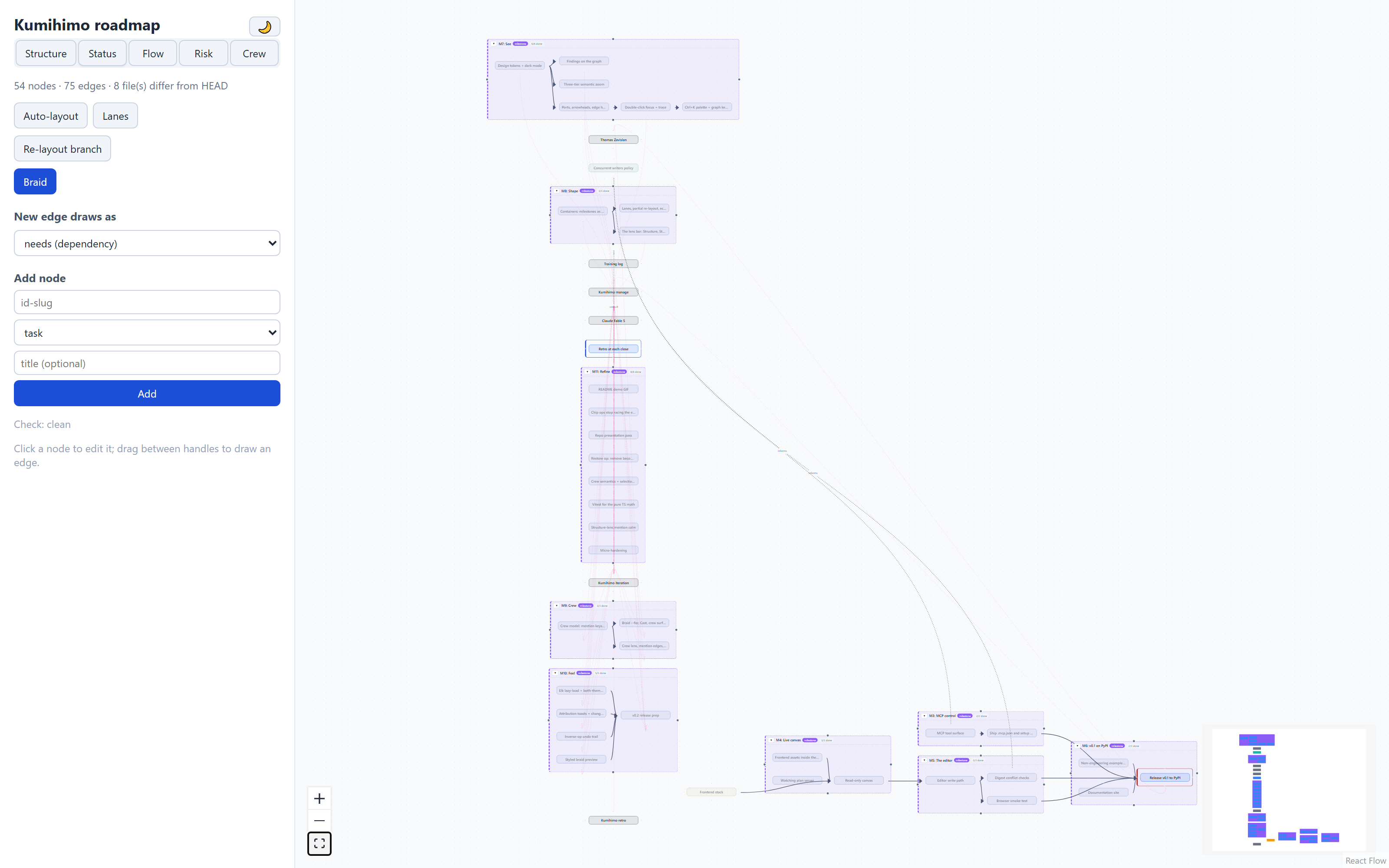
A five-way switch at the top of the sidebar — Structure (the default,
everything described above), Status, Flow, Risk, Crew —
changes what the canvas emphasizes without changing what it contains. Click
a tab, or press 1-5 with the canvas focused and no form field active. A
lens choice is pure view state: nothing is written to disk, and it survives
a payload echo untouched.
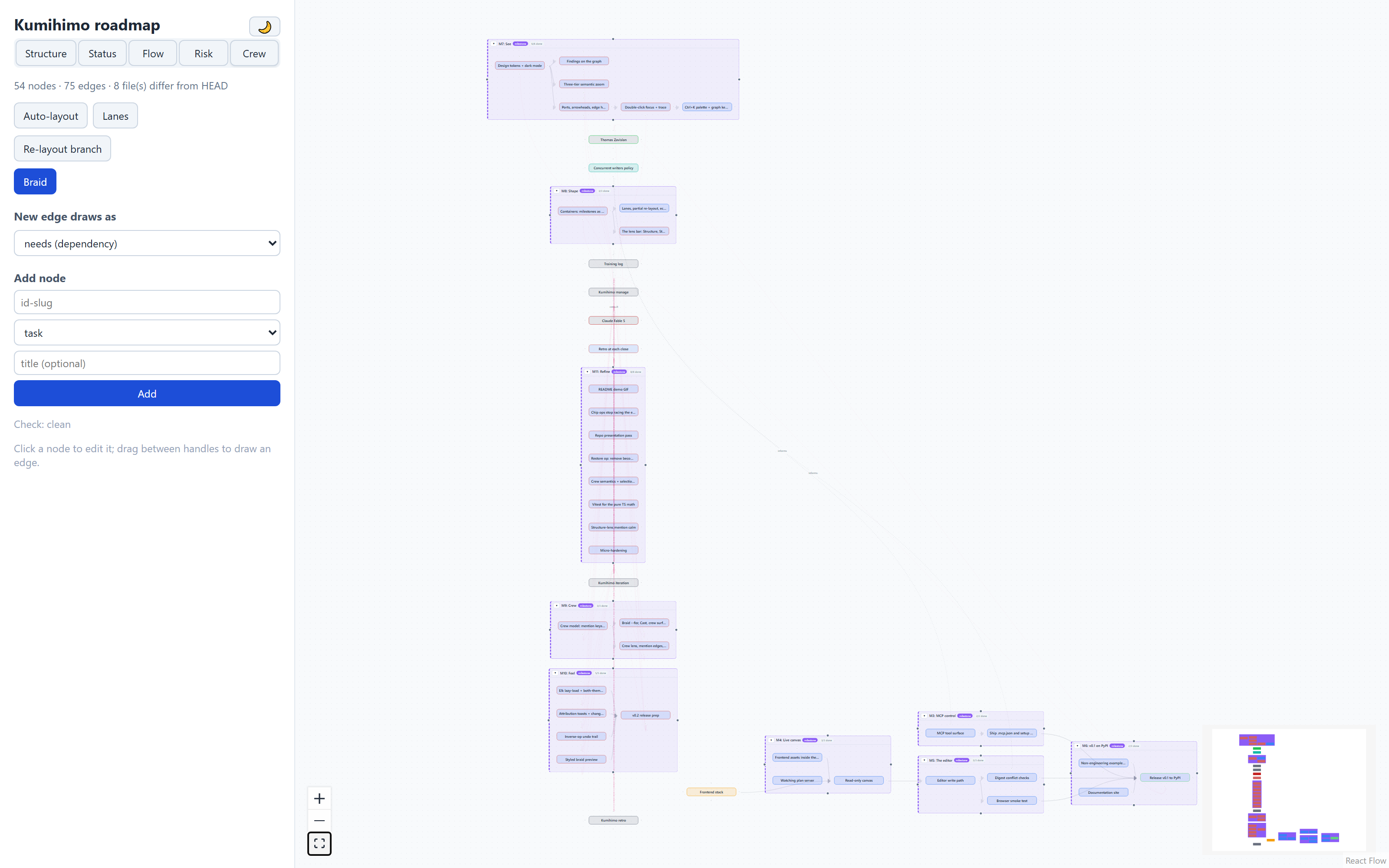
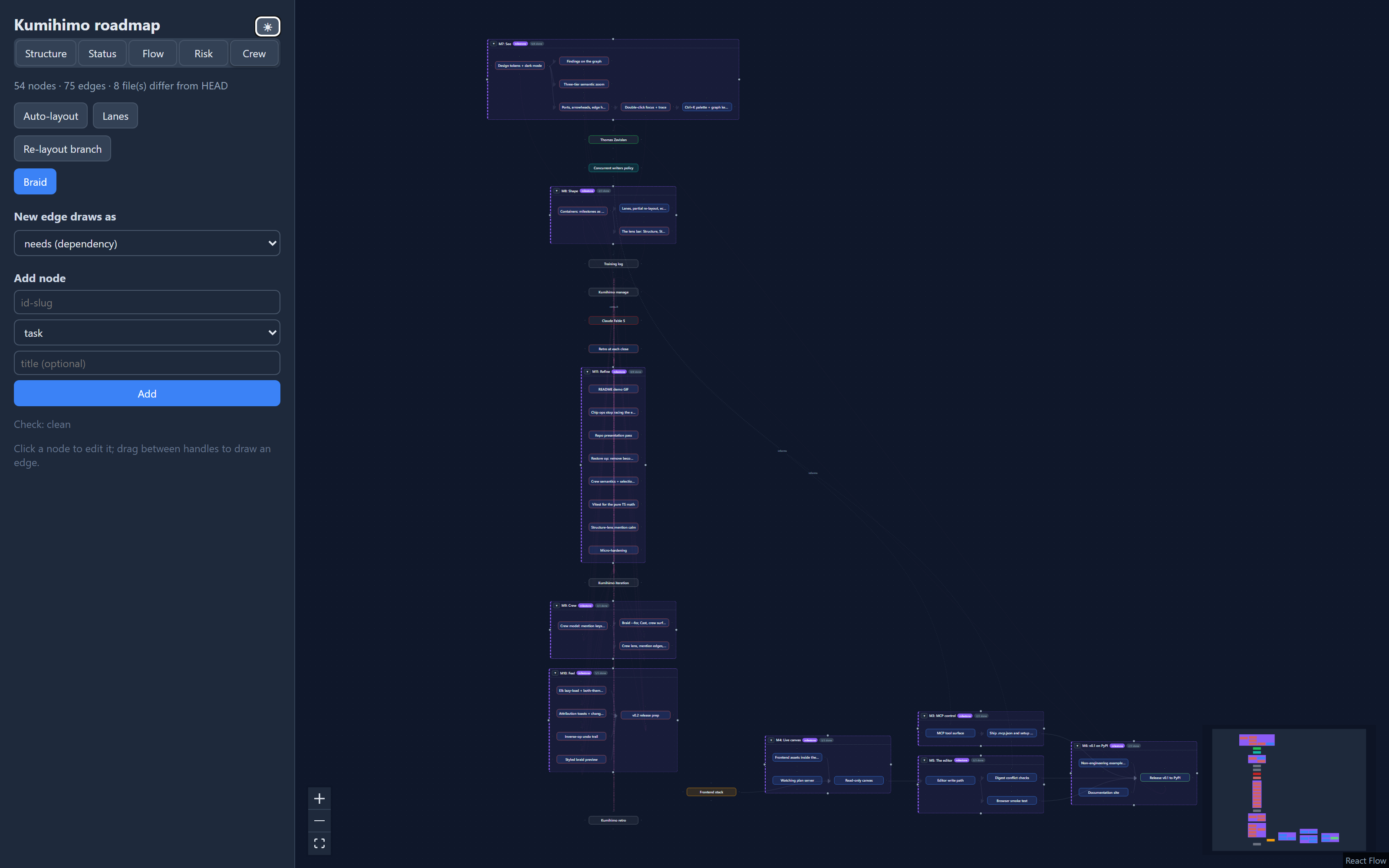
- Status tints each node by its effective status: doing picks up the
accent color, blocked the error color, done dims and desaturates by about
45%. The ready frontier — every node whose own status is
todoand whose every dependency is satisfied — glows with its own ring. This is the same computation the MCPready()tool uses, to the letter: a node is never shown as ready here and refused as not-ready there, or the reverse. A dependency hidden inside a collapsed container still counts as satisfied or not the same as if it were visible; if the ready node itself is the one that's hidden, its container glows in its place rather than the fact disappearing. - Flow finds the longest
needschain through the graph — the critical path — and bolds its nodes and edges; every other edge fades. A collapsed container stands in for its hidden members here exactly as it does for auto-layout, so the chain can run straight through a chip. - Risk enlarges every
risk-kind node and everydecision/questionstillopen, gives them a stronger border, and shades everything downstream of them (throughneeds, containers substituted the same way as Flow) — the blast radius of what's currently unresolved. Everything else dims slightly. - Crew tints every node by its first
agents:entry — a stable color per agent, assigned by sorting everyagent-kind node's id and stepping a hue wheel evenly across them, so the same plan always assigns the same colors. Anagentnode gets its own hue at full strength; anything that merely mentions one gets a softer tint of that same hue, so a source and its mentioners visibly share a color family without being confused for each other. Atask-kind node with noagents:at all, and whose own effective status isn'tdone— unassigned work still worth flagging — gets a dashed cyan outline instead of a tint; a done task with no agents no longer outlines, since there's no live gap left to point at.skill:mentions get no color of their own (there's no "first skill" the way there's a first agent); at the near zoom tier they instead render as small read-only chips on the card naming each one. Edges invert Flow's emphasis:trains:mentions bold and pop, every other edge — needs, in, links, and the other two mention keys — fades, so "who trains the crew" reads at a glance against everything else receding.
Precedence, when more than one visual channel would apply to the same node: a finding halo always wins, and for the two lens treatments that dim a card (Status's done tinge, Risk's "everything else" dim) that's an exclusion, not just a preference — a haloed node never gets those classes at all, so the ring always renders at full, undimmed strength rather than being faded along with the rest of the card the way plain CSS layering would fade it (opacity dims a box-shadow too; a done node with an error halo used to show no discernible ring until this was enforced). The Status lens's ready-glow uses the same box-shadow channel as a halo and loses to it the same way. Risk's enlarge-and-border (a source) and shaded wash (its blast radius), and Crew's unassigned-work outline, don't dim anything, so they still show alongside a halo — Crew's node tint doesn't compete with a halo either, since it colors the same border-left stripe the kind color always occupies rather than adding a second ring. Focus and trace suspend lens emphasis entirely while active: the lens stays selected, but its tints, bolding, and shading pause until Esc, since both already use the same border/opacity channels a lens does and showing both at once would just be noise. Semantic zoom tiers are unaffected by any of this.
Command palette and keyboard
Ctrl+K (Cmd+K on macOS) opens a search palette over every node's id,
title, and body, plus six quick commands (Add node, Braid, Toggle theme,
Toggle auto-layout, Lanes layout, Re-layout branch). With the palette closed
and focus outside any form
field, 1-5 switch the lens bar above from anywhere on the canvas; with a
node also selected, arrow keys walk the graph itself rather than the screen,
F focuses, and Delete or Backspace removes with a confirmation. Escape peels
off one layer at a time: exit focus or trace first if either is active
(above), otherwise — with the palette and braid modal also both closed —
clear the current selection (K41.4). The full
gesture-by-gesture table — this and everything above — lives in the
shortcuts reference.
Sync, conflicts, and undo
The canvas never holds unsaved state — there is no save button for the plan,
only for the node form, and even that writes immediately. External edits
(vim, MCP, git checkout) reach the canvas in well under a second via the
file watcher.
Each form save carries the digest of the file it was based on. If someone else changed that file meanwhile, the save is rejected with a conflict notice and nothing is clobbered — refresh (the watcher already did) and re-apply.
Undo
A collapsible Undo section in the sidebar, just below the Braid button,
lists every op this browser tab has applied this session — newest first,
session-scoped and in-memory, so a reload starts it empty. It is not a
history of the plan, only of what you just did here; for anything else,
undo is still git (below). Every entry is a button carrying a plain-language
label ("set crew-model status: doing → done", "link: cache needs
redis-outage"); click one, or press Ctrl+Z (Cmd+Z on macOS,
shortcuts reference) to fire the topmost
enabled one. Either way the entry's inverse posts through the exact same
/api/ops write door every other gesture already uses — there is no second
path that bypasses core.ops. That posted inverse gets a response with its
own inverse, which lands back on the trail as a fresh entry: undoing an undo
is just clicking (or Ctrl+Z-ing) again.
An entry stays enabled only while the node file it touched hasn't changed
since. The server computes each inverse from the exact state read just
before its op ran and ties it to that same node's digest right after —
the moment anything else touches that file first (another editor tab, an
MCP or CLI mutation, a hand edit), the entry grays out with its reason
("rate-limit-core changed since") instead of silently applying a now-wrong
inverse. Undoing an unlink re-draws the edge it removed, which can rarely
be refused the same way drawing a fresh edge can: if the graph changed
enough in between that redrawing it would now close a dependency cycle, the
op door says so and the entry stays on the trail, still enabled, for another
attempt.
Removing a node restores the file, not its referrers. The trail's own
inverse of a delete brings the node's file back exactly as it read the
instant before removal — same bytes, same comments, same position on the
canvas if it had one — because the server reads and holds that file before
it deletes it. What it does not do is redraw edges a force-remove
stripped: those referrer files were rewritten as part of the original
removal, and restoring the removed node's own file doesn't touch them again
— undo those individually from their own trail entries instead. Since a
restore's only real precondition is "no file already sits at this id," the
entry has no digest to gray on and stays enabled for the rest of the
session; if something else recreates that id first (a fresh add, another
restore, an outside edit), clicking it is refused with a plain notice rather
than overwriting whatever is there. For anything from outside this one
browser tab's own session, undo is still git: every session's worth of edits
is a reviewable diff, and git checkout -- . is a bigger undo than any
editor ships.
Layout
view.yaml positions win when present; the elk layered algorithm fills the
gaps. The Auto-layout button toggles to a pure elk arrangement (left to
right along dependencies) without touching your saved positions — click it
again ("Use view.yaml") to go back. Both Auto and the two actions below are
ephemeral: nothing is written to view.yaml until you drag a node, exactly
like today's Auto-layout always worked.
Lanes, next to it, is a second one-shot arrangement: one column per
node's NEEDS-DEPTH (its longest dependency-chain distance from a root —
a node with no needs of its own), generously spaced left to right. A
collapsed container counts as one node here too, standing in for its hidden
members exactly as Auto's elk layout does. Unlike Auto, Lanes never clusters
an expanded container's members as a tight group — each one gets its own
column purely by its own needs-depth, so a container's members can end up
spread across several lanes; its frame still bounds wherever they land, the
same as it always has for a hand-dragged group, and a wide frame with only a
few cards inside one end of it is the expected result of a spread-out lanes
arrangement, not a bug. Every container that currently has visible members
gets its own vertical band — a reserved horizontal strip nothing else is
ever placed in — so two containers' frames, or a frame and a collapsed
chip, can never land on the same pixels; everything ungrouped (plain leaves
and collapsed chips alike) shares one further band at the bottom. That
guarantee costs some vertical compactness: a band reserves room for its
single busiest column across every column it spans, so a container with one
crowded lane and several sparse ones leaves visible empty space beside the
sparse ones — a deliberate tradeoff, not a bug either.
Re-layout branch, near the layout buttons (and in the Ctrl+K palette),
re-arranges just one part of the plan around your current selection, leaving
everything else exactly where it was. The scope is the selection's
container-or-cone: if you've selected a container, its members; otherwise
the selected node plus everything it needs and everything that needs it
(its full dependency cone). Elk lays out only that scope, then the whole
result is shifted — never resized or rotated — so its center lands back on
roughly where the scope's center was before, rather than jumping to some
unrelated corner of the canvas — when there's room: if that placement
would land the scope on top of anything outside it, the whole result slides
further, clear of every other card and container frame, before landing.
Centroid preservation is therefore best-effort, not a guarantee: the common
case keeps the branch right where it was, and a crowded one moves it the
short distance needed to stay collision-free instead. Like Auto and Lanes,
this writes nothing to view.yaml.
Braid preview
Braid compiles the current plan and opens it in a modal, styled like a
document — headings, lists, code, tables, and blockquotes — in both light
and dark, using the same tokens as the rest of the canvas. Rendered is
the default view; Raw switches to the compiled Markdown exactly as
written, the same plain-text view the modal always had. Your choice is
remembered for the rest of the session (not across a reload).
Node bodies are user-authored text, not trusted input, so the renderer never
produces an executable or navigable hostile element from one: raw HTML in a
body (<script>, <img onerror=…>, an <iframe>, an inline event-handler
attribute) is escaped to inert, visible text rather than passed through, and
a link's or image's own URL is checked against an allow-list before it's
ever wired into a live href/src — http:/https:/mailto: (links) or
http:/https:/a relative path (images) pass through; anything else —
javascript:, data:, or any other scheme, including the classic
[text](javascript:…) and CommonMark's own <javascript:…> autolink form —
renders as the link's plain text instead, with no <a> or <img> at all.
Both views are covered the same way. The first time you open a braid, the
styled renderer is fetched on demand — it is not part of the page's initial
download, so it costs nothing until you actually open one.
The compiled braid embeds one Mermaid diagram (the "Plan shape" section) — rendered natively by GitHub and by this project's own docs site, but not here: drawing it would pull in a renderer heavy enough to compete with the rest of the app's own load time, so the preview always shows it as source inside a fenced code block instead. Since that source can run to dozens of lines on a large plan, the Diagram toggle folds it down to a one-line "(plan-shape diagram hidden — N lines)" placeholder by default, in both Rendered and Raw — click it to unfold the real source when you want to read it here.
Copy and Download both always hand over the complete, real braid —
never a copy with the diagram folded away, regardless of what the toggle is
currently showing on screen. Download saves it as
<plan-name-slug>.braid.md, byte-for-byte identical to what kumihimo
braid/GET /api/braid would produce; nothing is re-serialized or has its
line endings translated on the way to the file.
Motion and attribution
A position that changes because of something other than your own drag — another editor's change arriving over the live socket, an MCP edit, or one of the layout actions above — glides to its new spot over about 200ms instead of jumping there. Dragging itself stays instant, with no glide, so the card never lags behind your pointer. If your OS is set to reduce motion, every glide is skipped in favor of an immediate move.
A change from outside this browser tab also says who and pulses where.
Every mutating op — CLI, MCP, or another editor tab's own gesture — appends a
line to the plan's advisory .kumihimo/events.jsonl
(format reference); the next
live-socket push carries whatever's new there since the last one, and the
canvas matches it against the node ids that actually changed. One toast per
source, top-right, newest on top (up to four kept, each dismissing itself
after about six seconds, or on click): "via CLI: rate-limit-core
updated", "via MCP: crew-model, headers-and-429, pick-algorithm +1 more
updated" — up to three names, then a count of however many more. Added
and removed nodes say so ("added"/"removed" in place of "updated"); a
change with no matching event — a hand edit, git checkout, some other
tool — reads "outside edit" instead of a source. The nodes actually
involved briefly ring (a hidden container member's ring lands on its
collapsed chip instead, the same substitution focus/trace and the lenses
already make); reduced motion drops the ring but never the toast — the
information stays, only the motion goes. Your own edits in this tab never
toast or pulse — the op's own response already updated what you're
looking at, so there's nothing left to announce.
Dark mode
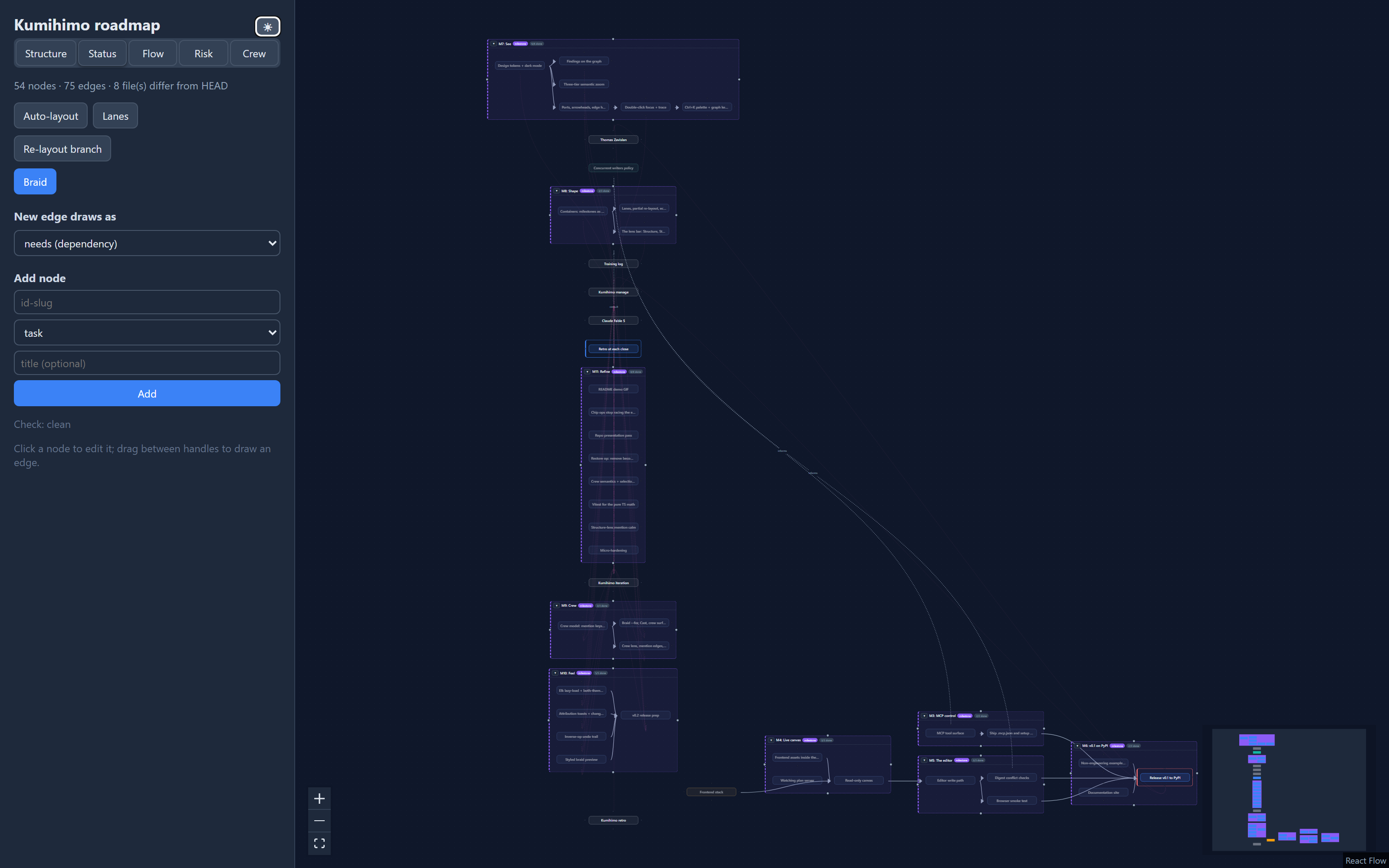
A moon/sun toggle sits next to the plan name at the top of the sidebar. On
first load it follows your OS's light/dark preference; after that, your
choice is remembered (localStorage) and wins over the OS setting until you
toggle back.